 Decaly
Image to SVG, traced into layers you can cut
Decaly splits a picture on your Android phone into colour layers your cutting machine can cut, and saves them the way your machine’s app wants them: one SVG for Cricut Design Space, one DXF per layer for Silhouette Studio, or a 300 dpi PNG for Print Then Cut.

Tracing is free, at full quality, as often as you like. Saving the cut file is Decaly Pro.
Nothing is uploaded. No account.



From a picture to a cut file in three steps
No upload and no waiting on a server: the tracing runs on your phone, and you see the result change as you adjust it.
- 01
Open your picture
PNG, JPG, WebP or HEIC from the photo picker, or take a photo of a drawing with the camera. You can also share an image to Decaly from Files, Drive or any app, or choose Decaly under “Open with”.
- 02
Watch it trace
Choose 1 to 7 colours and Simple, Balanced or Fine detail. A magnifier shows any edge at 4×. Tap a colour to recolour it to the vinyl you’ll cut it from, or leave it out.
- 03
Save for your machine
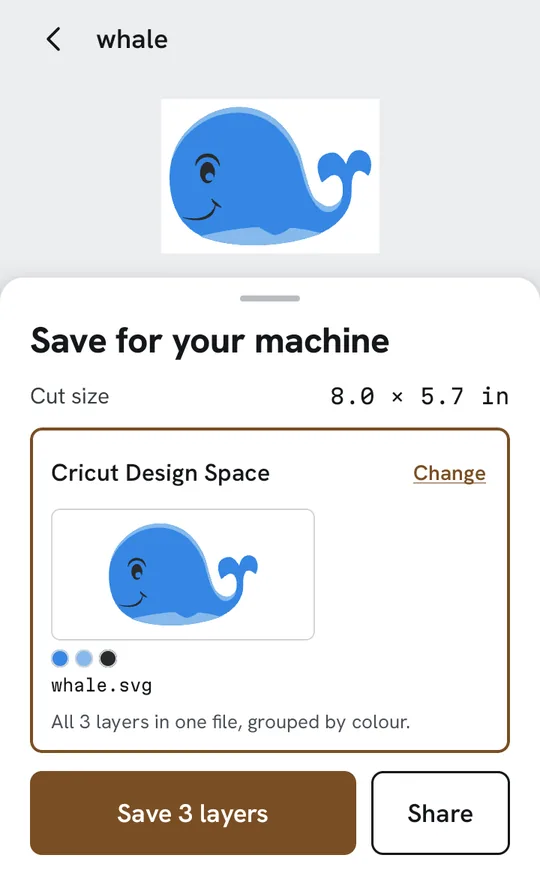
Pick Cricut Design Space, Silhouette Studio or Print Then Cut, check the size you’ll cut, and save the file or share it. Saving is part of Decaly Pro.
Stacked or side by side
Layered vinyl can be cut two ways, and the right one depends on what you’re making. Decaly cuts both from the same trace; one switch changes it.
Stacked
The bottom colour is cut whole, and the others sit on top of it. Best for layered vinyl and iron-on, where a small overlap hides the seams.


Side by side
Each colour is cut only where it shows, so the pieces meet edge to edge and use less vinyl. Good for flat layers that shouldn’t build up.
Checked for the blade, not just for the screen
- Too thin to weed, markedA piece narrower than 0.8 mm at your cut size is ringed on the picture. One tap makes it thicker, to the 0.8 mm a blade can cut, or removes it.
- Specks removed firstBits under 2 mm across are cleaned away before you see the trace. It is a switch, on by default, in the size sheet.
- The size you’ll actually cutSet the long side from 0.5 to 24 inches, or 1.2 to 61 cm; the other side follows the picture. The SVG and the DXFs are written at that size, in inches, and the PNG at 300 dpi for it.
- Honest about small picturesA picture under 300 pixels on its long side is refused, with the reason: every curve would be a staircase the blade cuts step by step. From about 600 pixels wide, curves come out smooth.
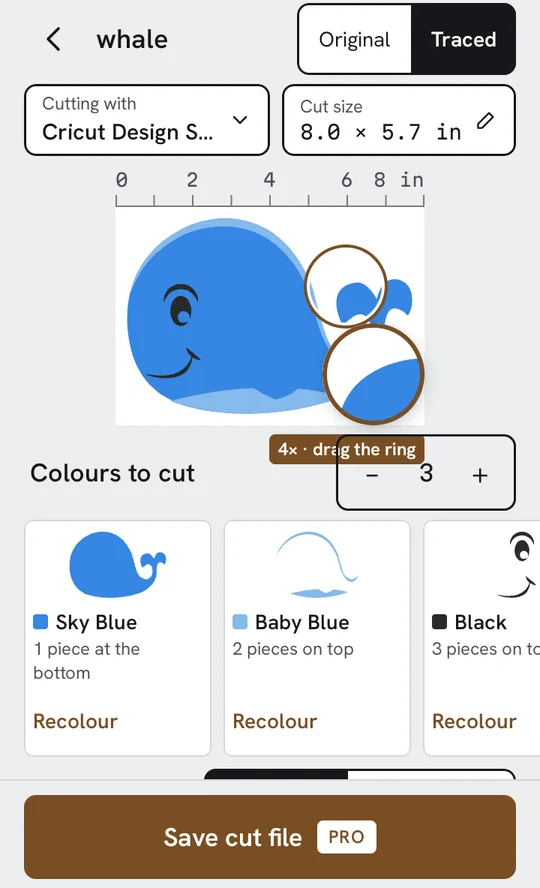
One trace, three kinds of file
The export is named for where the file is going, not for its format. The file names come from your picture’s name and the colour names.
- Cricut Design Space
whale.svgOne SVG with every layer, grouped by colour, at the size you set. - Silhouette Studio
whale-sky-blue.dxf · whale-royal-blue.dxfOne DXF file for each layer, made for Silhouette Studio. Studio’s free Basic edition doesn’t open SVG, which is why the DXFs are there. - Print Then Cut
whale.pngA transparent PNG at 300 dpi, for printing; Design Space draws the cut line around it. If the design is bigger than Design Space’s 6.75 × 9.25 in Print Then Cut area, Decaly says so before you save.
Any program that opens SVG can use the SVG too. Decaly makes files; it doesn’t drive your machine, so the cut itself happens in your machine’s own app.
Free to trace. Pro to save.
Free
Open, trace, recolour and preview at full quality, with no limit on pictures. Try it on your own pictures before you pay anything.
Decaly Pro PRO
Save cut files for Cricut Design Space, Silhouette Studio and Print Then Cut, as many as you make, and keep each design in My cut files with its layers and size, ready to save again at another size or for another machine.
Decaly Pro is a weekly or yearly subscription. Google Play shows the price in your currency before you subscribe, and you cancel in Google Play.
On a tablet, the picture gets the room
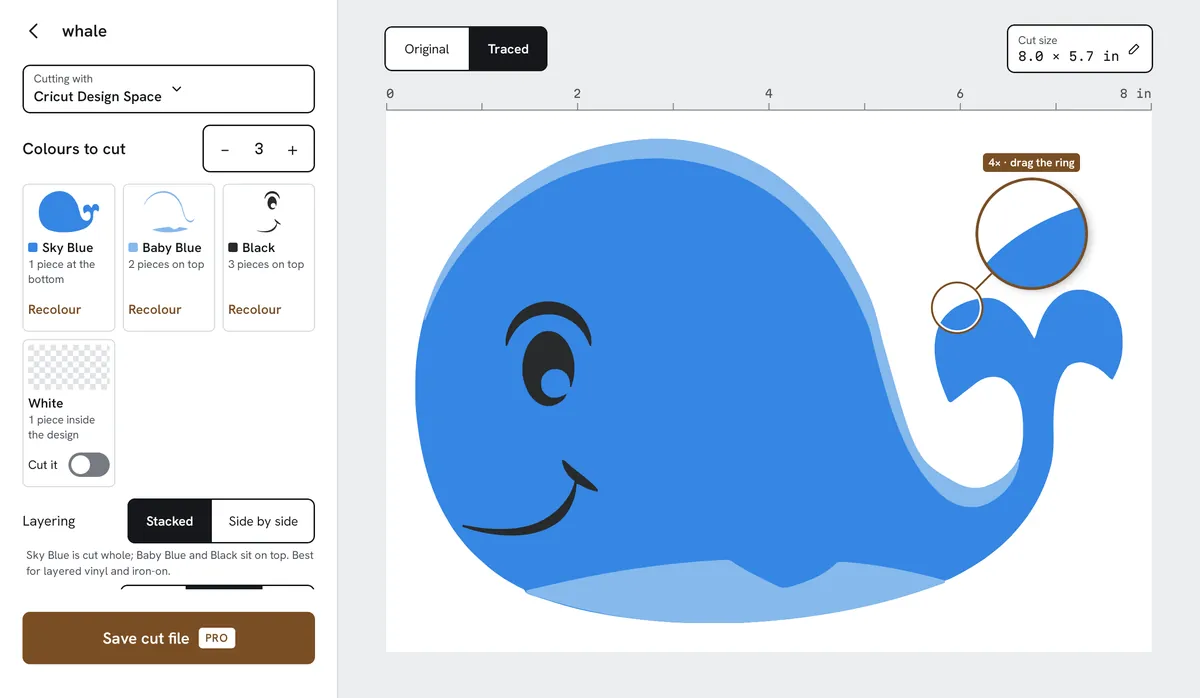
On a tablet in landscape the controls sit in a column beside a large canvas, so you can judge every edge while you change the colours.
What Decaly doesn’t do
- It doesn’t edit nodes or draw vectors by hand. If you need a pen tool, a desktop vector editor is the right tool.
- It doesn’t send anything to your cutting machine. You open the saved file in Cricut Design Space, Silhouette Studio or another program, and cut from there.
- It has no library of ready-made designs and doesn’t generate pictures. It traces the picture you bring.
- It traces flat-colour pictures best: clip art, lettering, logos, drawings. A photo is reduced to a few flat colours, not reproduced.
Guides
Plain answers to the questions that come up between a picture and a clean cut, written by the developer of Decaly.
- How to convert an image to SVG on AndroidThe steps on a phone, and what to check before you cut.
- How to make layered vinyl from a pictureColours, layers and which way to stack them.
- SVG vs DXF for Silhouette Studio BasicWhich file the free edition opens, and why.
- Image to SVG apps for Android, comparedWhat the Android tracers do, with dates and sources.
Bring a picture. See it in layers.
Open one of your own pictures and watch it trace, free. When it looks right, Decaly Pro saves it for your machine.