Low resolution image to SVG: why the cut turns blocky
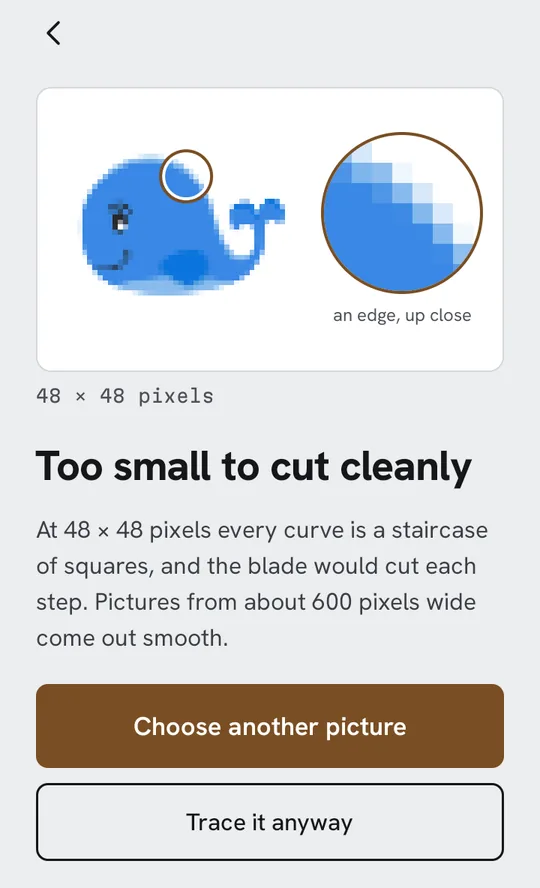
A traced SVG can only follow the edges the picture actually has. In a small picture those edges are steps of square pixels, and a good tracer will faithfully follow every step.
Short answer
A low resolution image traced to SVG cuts blocky because each pixel is a visible square at cutting size, and the edges of squares are stairs. As a rule of thumb, a picture under 300 pixels on its long side can’t give a clean cut, and from about 600 pixels wide curves come out smooth. Upscaling the picture doesn’t add the missing detail; find a bigger original instead.
Get Decaly Traces a picture into cut layers on your Android phone. Tracing is free, with no account.
Why small pictures cut as staircases
A tracer looks at where colours change and draws an outline along that boundary. In a large picture a curve is made of so many small pixels that the outline is smooth. In a small one, a curve is a handful of big square steps, and smoothing can only do so much before it starts inventing the shape. Spread a 300-pixel picture over 8 inches and every pixel is about 0.7 mm: a blade will cut each step.
How many pixels you need
- Under 300 pixels on the long side: Decaly refuses the picture and explains why (“Too small to cut cleanly”). You can still choose Trace it anyway.
- About 600 pixels and up: curves come out smooth for typical decal sizes.
- Very large pictures are scaled down to 1,600 pixels on the long side before tracing. That keeps tracing quick on a phone and is plenty for a cut; more pixels mostly add tiny specks.
Where to find a bigger copy
- Saved from a search result? You probably saved the thumbnail. Open the image itself and save that one; it is usually full size.
- From a message? Some chat apps shrink pictures they send. Ask for the file as a document, or saved from the original.
- A screenshot? Screenshot the picture as large as the screen will show it, cropped to the design.
- Your own drawing? Photograph it closer, filling the frame; see which photos make a good cut file.
Why upscaling doesn’t fix it
Enlarging a picture in an editor makes more pixels, but they are guesses blended from the old ones: the steps become soft, blurry steps. A tracer then follows a fuzzy edge, which can come out wobbly instead of stepped. An AI upscaler can do better on some pictures, but what it draws is its invention, so check the shape is still yours.
If you must use the small picture
- Cut it smaller: the steps shrink with the size.
- Use Simple detail and fewer colours, which smooth more.
- Look at the edges with the magnifier before saving, and check for pieces too thin to weed.
For the general steps, see how to convert an image to SVG on Android.
 Decaly: image to SVG, in layers you can cut
Open a picture on your Android phone and watch it trace into colour layers, free. Decaly Pro saves it as an SVG for Cricut Design Space, one DXF per layer for Silhouette Studio, or a PNG for Print Then Cut.
Get Decaly on Google Play